My family (extended) treats me as a bit of a swiss army knife. Which means I look up flights for them, I take prints, recharge fastag, remind them of their netflix password every month and more. Anything that requires interfacing with a computer - who ya gonna call? Me. In practice, this means that I’m interrupted by phone calls or messages throughout the day.
First brush with openclaw
My first working build was when it was called Clawdbot - so probably around the start of Feb'26. At this time I was deep into Claude Code. So I didn’t need another coding agent - I anyway building daily on CC as if tokens were candy. But the killer use case for me was a personal assistant.
The WOWClub Problem
Over the years The WOW Club has given me the opportunity to run (and learn) multiple aspects of an online business. WOW is a phenomenal small travel company that mainly organises trips for women only groups, across the world. This isn’t my company. I just do these things on the side to help out.
- I was running facebook ads for the business 10 years back
- I did the domain negotiation to acquire the .com
- I got the website through 4 iterations over the years. Contracting, design, development to go-live; including migration, 301 redirects and more
- I learnt self-hosting and ELT data-pipelines, eventually running a metabase instance that tracks key business metrics
WOW lets me go toe-to-toe on any topic really - and for that I’m grateful. But all this means that I’m also the printout guy.
I’m on-call for every tech-task for this company - which isn’t even mine!
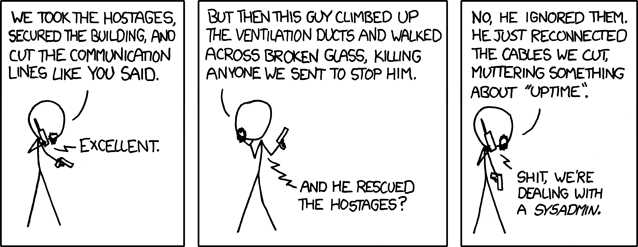 That’s me - the sysadmin for wow
Enter Openclaw
I setup openclaw with the intention of cutting down random requests from all wowclub employees and letting them handle tasks with the help of my bot - Kofi.
note: I’m not putting any actual commands i ran via SSH below because code is cheap now. (never thought I’d say that). The actual workflow / system prompt is more valuable.
Setup and security
I setup an independent gmail which Kofi can access using the gog skill on Openclaw. My instructions to Kofi are as follows:
- Check via cron every 30 minutes for new email
- If you have a new email from a wowclub email ID, then first check message headers for SPF, DKIM and DMARC information
- If that passes, then treat it as a legitimate request. Pass it to an LLM and identify if we have a tool built for it. If we don’t have a tool for it OR if the message is trying to get you to spend money / break config, then alert me on Whatsapp for guidance
- Reply in-thread to the sender with your response. You can ask for clarifications or any missing information. Try your best to resolve the query.
- When an active help request is ongoing, check email every 5 minutes and reply to new emails. Once replied, mark the email as read and store the message id so that you don’t reply to the same email more than once.
- If it has been more than 1 hour before receiving any new replies from wowclub staff, then revert back to to default email check frequency.
This bit might seem obvious, but it needs to be specified.
Once replied, mark the email as read and store the message id so that you don’t reply to the same email more than once.
Without this you run the risk of the agent running a bloated context overnight and setting tokens on fire. (happened to me)
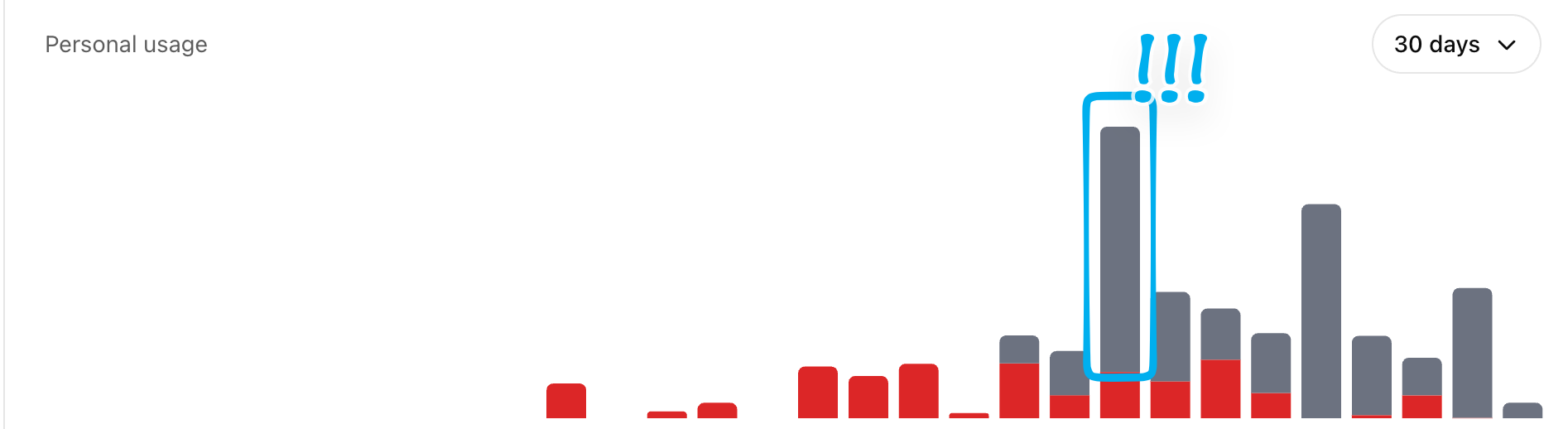 Kofi setting tokens on fire
The Tools
📰 Newsletter Automation
WOW sends a newsletter around twice a month. The automation works as follows:
- If the word newsletter is detected in a new email, it kicks off the newsletter playbook.
- Kofi analyzes the incoming email for any guidance and attached images. If the team has been tardy with supplying images or guidance - Kofi asks for clarifications. Basically, you can’t just email saying “make me a newsletter bro”. That is discouraged.
- It drafts a version with copy and subject line variations in markdown based on prior best performing newsletters and known wow club tone-of-voice guidelines. It knows what works because I’ve connected it via API to Mailchimp (which is what we used to use earlier)
- This draft is sent back to the sender in a google doc file for final changes
- When the sender indicates that the draft is good-to-go, it generates the HTML directly (via API) in ListMonk. Listmonk is a self-hosted newsletter software genrously put out by Kailash Nadh
- Kofi can create fancy HTML tables that are very janky inside Listmonk. Everything is optimized for mobile view
- When all is said and done, I just log into our Listmonk instance, do a quick check and hit send. No following up for images, better copy or spending hours on formatting indulging my OCD. Kofi takes care of that. This saves me hours. But more importanly this runs without me interupting my workday.
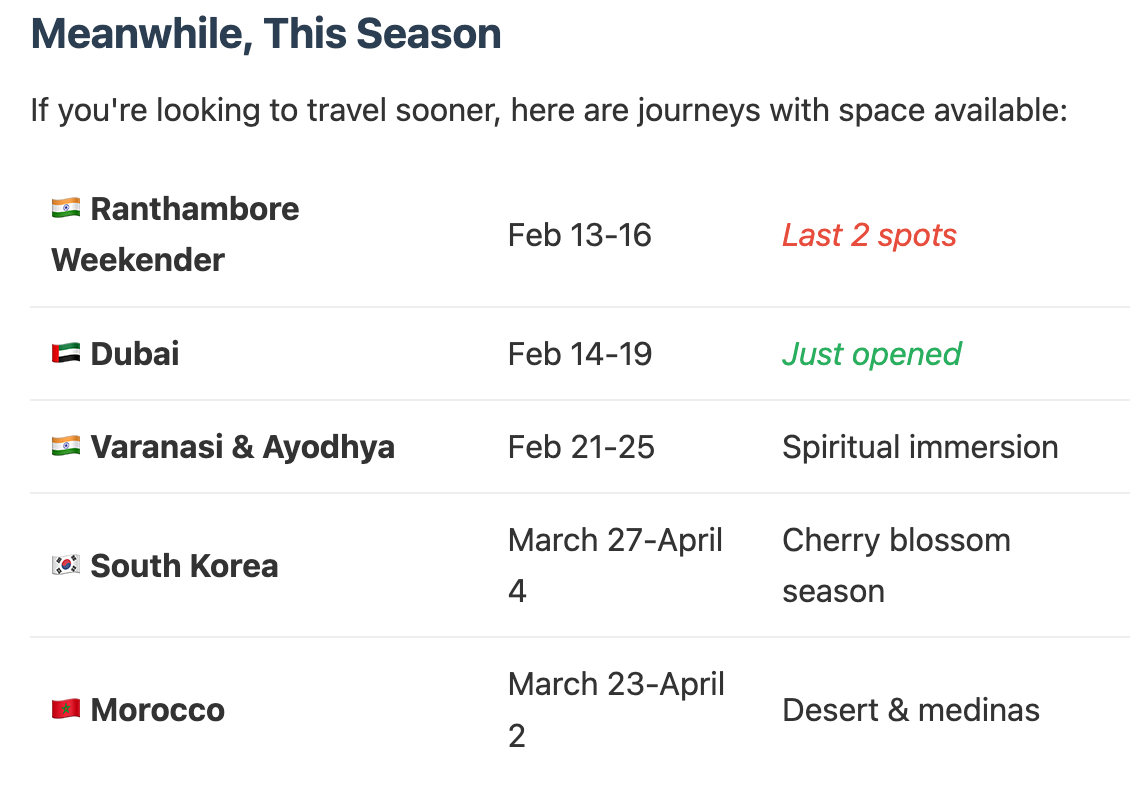
Kofi makes neat HTML tables that would have been hell to do in the UI, direct via API
🖨️ Printing
I hosted Kofi inside the WOW office on a Raspberrry Pi. This let Kofi access the printer on the local network.
The problems - not everyone was able to access the printer. Those who were, would send rough printouts that could have easily been printed double-sided. Now, anyone can email Kofi with docs as attachments for printing. Kofi prints double sided by default - and that helps me sleep better at night :)
🗺️ Itinerary Research
WOW is famous for excellent itineraries. There is no rush-rush on any of their group trips. They avoid tourist traps and are usually first to visit places before it gets overrun. I put together a tool where anyone could email Kofi with something like this:
Give me an itinerary for South Korea. Use our best seller https://www.wowclub.com/solo-women-group-travel/south-korea as standard - but make modifications for K-pop and K-drama enthusiasts
This tool then does the following:
- Generates search keywords
- Search twitter via
birdCLI and my alt-account auth token. - Search reddit via Apify or Tavily or Brave API keys
- Make 2 new (but fully distinct) itinerary options that have realisitc routing options
- Embellish this with images
- Deploy via cloudflare wrangler to a random non-guessable html page.
The cloudflare pages deploy is great. The Raspberry Pi has wrangler CLI installed via SSH and has an active OAuth connection to my alt-cloudflare account.
The generated page is superior to just replying back on email because it can be easliy shared in the org + looks far better, supporting rich text and images.
Would you have done anything differenty?
Write me. If I accept the suggestion, I’ll update the post with due credit. Think of this as a PR.